 GetWardrobe
Emailing outfit photos back and forth wastes hours every week.
For professionals
Give Your Clients the Wardrobe App They've Been Waiting For
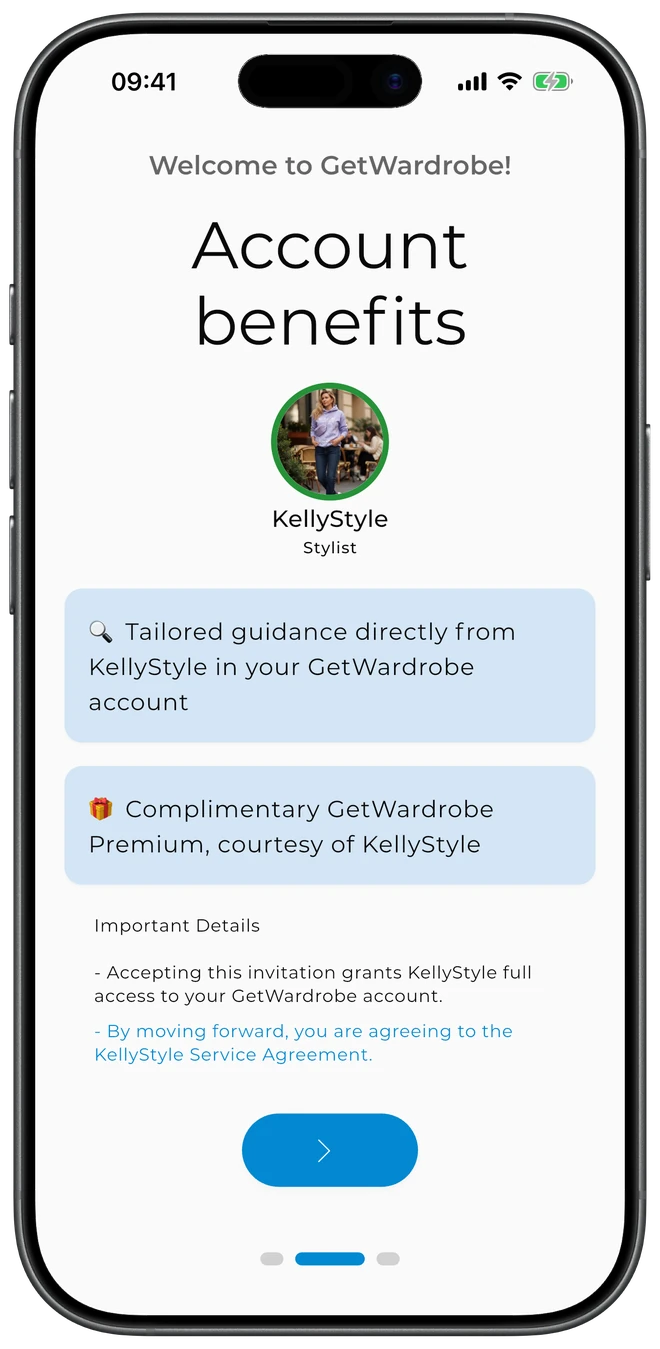
Stylist Mode gives professional stylists a dedicated workspace inside GetWardrobe. Manage all your clients from one dashboard, work with each client's wardrobe, and share styling advice — all under your brand. Every client you link gets Premium automatically.
Available on iOS, Android, macOS, and Web. Annual plan includes a free trial.
Managing Clients Is Hard
Stylists run their entire practice on email, spreadsheets, and memory. Stylist Mode replaces all of that.
Clients forget your suggestions and buy pieces that don't fit their wardrobe.
No way to track what clients actually buy or wear.
Building a client's wardrobe takes weeks of back-and-forth.
Stylist Mode: Built for Your Practice
Everything you need to manage clients, all in one branded dashboard.
Client Dashboard
Manage 10, 100, or 1000 clients from one place. One-click account creation with your branding throughout.
Branded Client Invitations
Invite existing GetWardrobe users by email, or create accounts on their behalf and send them an activation link + code. Your professional name and photo appear on the invitation and inside the client's wardrobe.
Client Wardrobe Access
Switch to a client's account from your dashboard to add items, create outfits, plan looks, build capsules, and create packing lists for them. Switch back to your own account in one tap.
AI + Manual Outfit Curation
Run the AI Outfit Generator on a client's wardrobe to get multiple outfit combinations at once. Curate the picks you like, save them to their wardrobe, or share styling advice directly on their account. AI Credits power the advanced model tiers.
Plan + Schedule for Clients
Schedule outfits to your client's calendar with weather context and wear notes. They open the app and see what you've planned for the week, with the forecast for each day.
Styling Advice
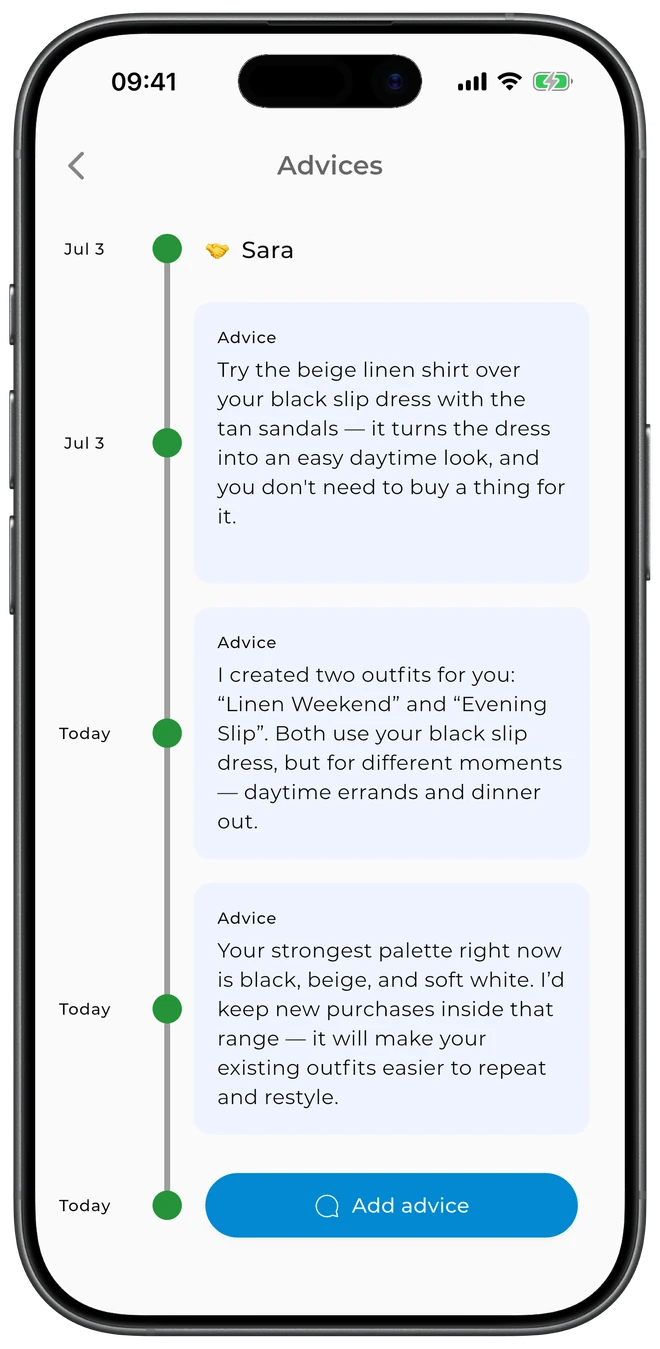
Share personalized style tips and recommendations directly on a client's account — they see your advice on their main screen and can revisit it anytime.
Ready to Streamline Your Practice?
Open the app, tap your avatar, and switch to Stylist Mode. Choose a monthly or annual plan and start adding clients in minutes. Annual includes a free trial.
Open Stylist Mode Available on iOS, Android, macOS, and Web.
Frequently Asked Questions
In the GetWardrobe app, tap your avatar in the top left, swipe down, and tap "Switch to Stylist Mode". Choose Monthly or Annual, enter your professional name and photo, and you can add your first client in the next screen. Switching back to your user account is one tap from your stylist settings.
Stylist Mode uses GetWardrobe's Pro subscription, available as monthly or annual. The annual plan includes a free trial. Check the app for current pricing in your region.
Stylist Mode works for any business that styles clients — personal stylists, boutiques, image consultants, fashion advisors. The dashboard and client management tools are the same regardless of your business shape.
Yes. Your professional name and profile picture appear on client invitations and inside their wardrobe. Clients see your brand attribution alongside the GetWardrobe app.
Yes. Your Pro subscription automatically unlocks Premium features for every linked client — they don't need their own paid plan. This is part of the value of Stylist Mode for your practice.